This document is provided as an AI translation. If the translation differs from the original, the Korean original takes precedence.
NAT
Security > Network Firewall > Console User Guide > NAT
The Network Address Translation (NAT) tab allows you to configure source NAT, which sets the public IP exposed externally when an instance communicates with the outside, and destination NAT, which connects a public IP dedicated to an instance that is to be accessed from the outside.
Configure Source NAT
Add
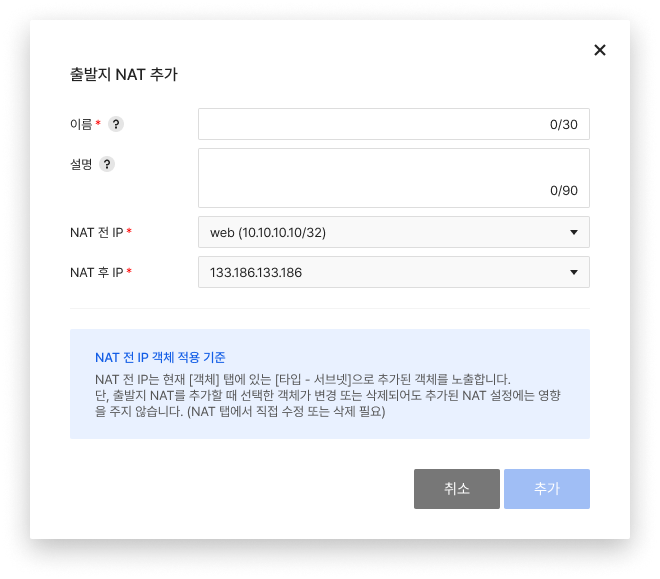
- Click Add to create a source NAT.
- Objects to be selected in Pre-NAT IP must be created in advance in the Object tab before clicking Add.
- For Post-NAT IP, select one of the IPs created in advance in Network > Floating IP.
Modify
- Click Modify to modify the created source NAT.
- You can modify both public and private IPs.
Delete
- Click Delete to delete the created source NAT.
Configure Destination NAT
Add
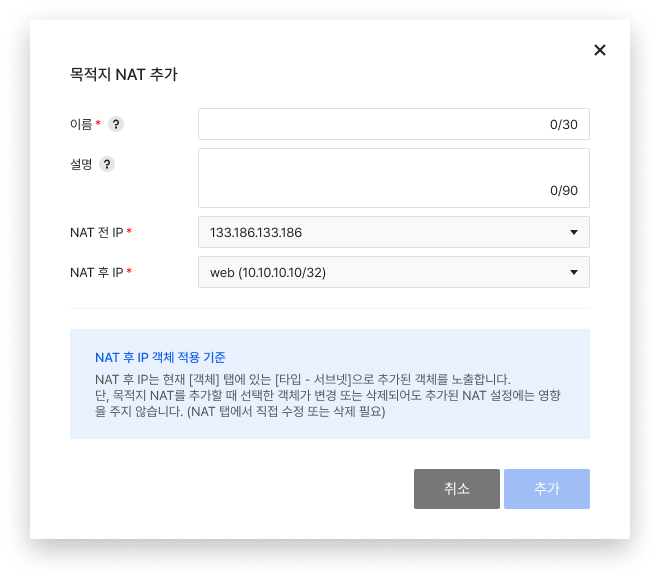
- Click Add to create a destination NAT.
- For Pre-NAT IP, select one of the IPs created in advance in Network > Floating IP.
- Objects to be selected in Post-NAT IP must be created in advance in the Object tab before clicking Add.
Modify
- Click Modify to modify the created destination NAT.
- You can modify both public and private IPs.
Delete
- Click Delete to delete the created destination NAT.
Note
- Only one IP before NAT and one IP after NAT are added per entry.
- Port-based destination NAT is not supported.
- After creating a NAT, you must add an allow policy to the Policies tab to enable authorized communication.
- Instances can be accessed from the pre-NAT IP that you set when adding NAT to the destination tab (no need to connect a floating IP directly to the instance).
- If you assign a floating IP directly to an instance that owns the post-NAT IP configured in NAT, you might have communication issues.
- After deleting NAT, delete the unused pre-NAT IP directly from Network > Floating IP.
Caution
- When you add a source or destination NAT, the private IP before/after NAT that you select displays the objects created with Type-Subnet on the Objects tab at the time of addition.
- Even if a selected object is modified or deleted on the Objects tab after adding NAT, it does not affect the NAT configuration (objects and NAT are not linked to each other). For example, if you select an object created with 10.10.10.10/32 when adding a destination NAT and then go to the Objects tab to modify that object from 10.10.10.10/32 to 10.10.10.20/32, the NAT configuration remains unchanged.