Mobile Service > IAP > ONE Store Console Guide

Create your license key and OAuth credentials in the one-store to register for the IAP app information.

Create One-Store Key

Apps > select App> In-App > Managed Product > Managed In-App API
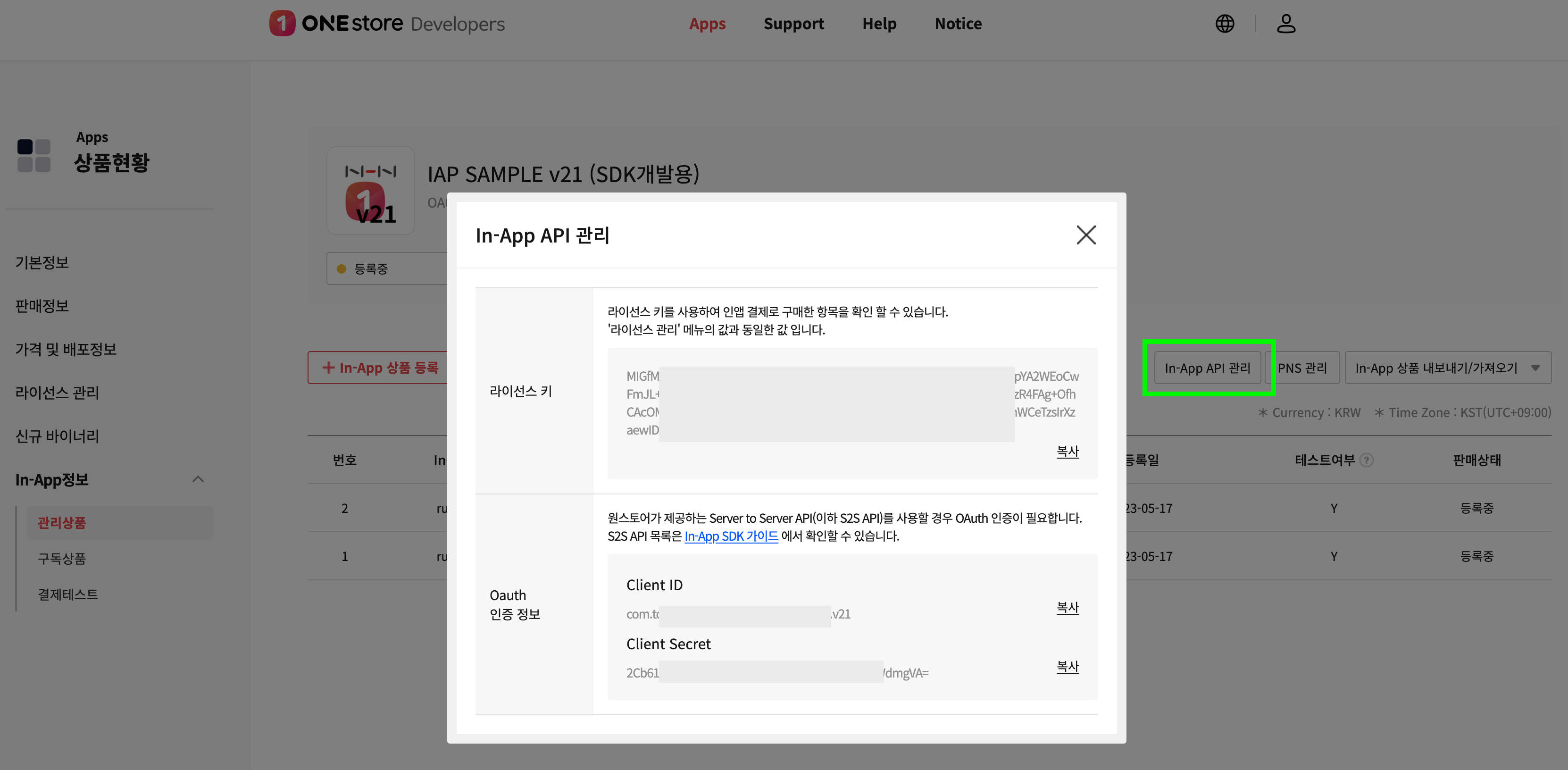
In-App API 관리

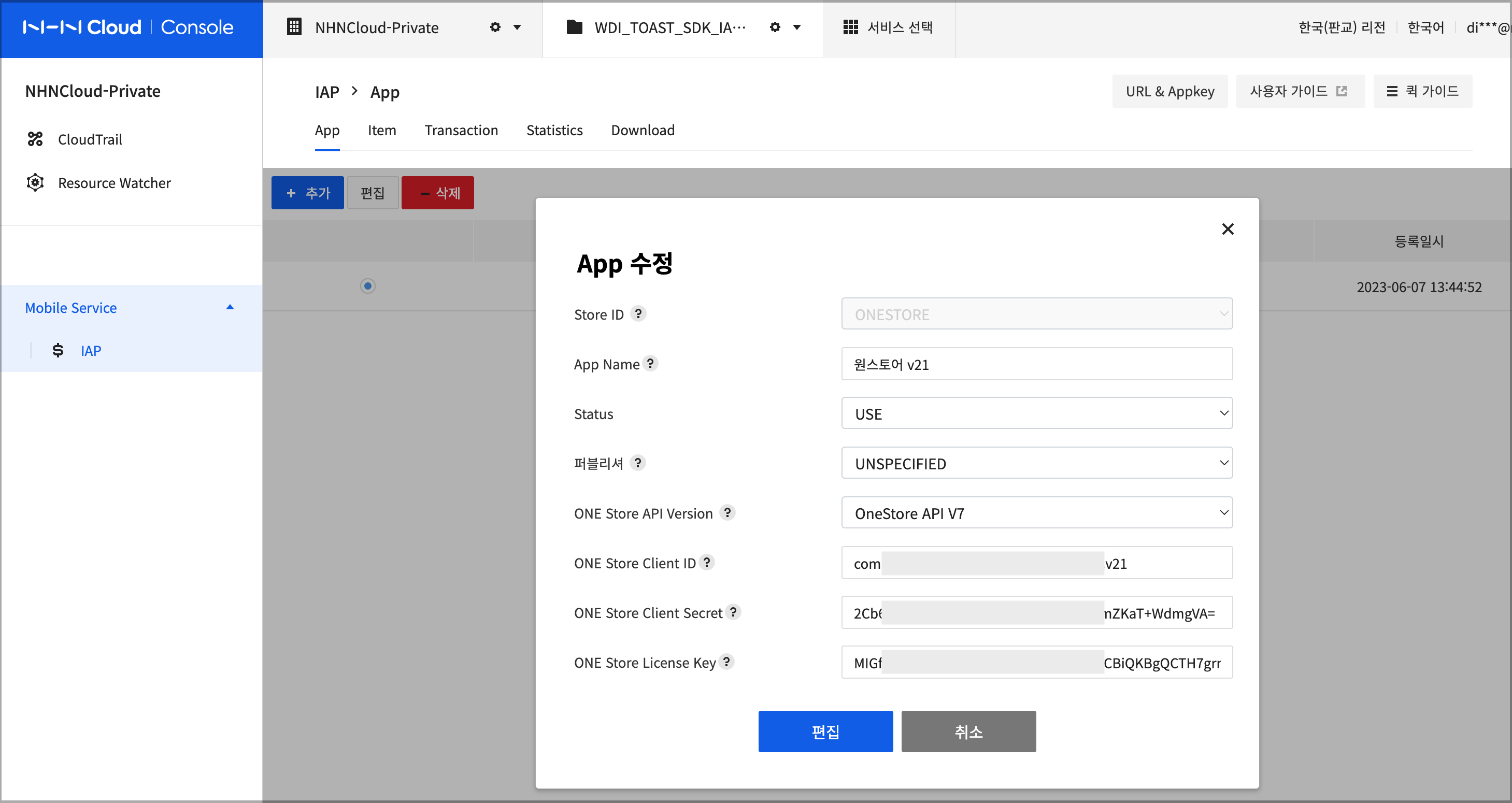
NHN Cloud IAP 앱 설정

[Table] App Registration Fields for ONE Store V7 (V21) Integration

Field Description
Store ID Select ONESTORE from the store list
App Name Name to use in the IAP console
ONE Store API Version Select OneStore API V7 from the list
ONE Store Package Name Package name of application registered in the store
ONE Store Client ID ONE Store Oauth Client ID
ONE Store Client Secret ONE Store Oauth Client Secret
ONE Store License Key License Key

Set up ONE store Notifications for Real-Time Subscription Status

Apps > Select App > In-App Information > Subscriptions > PNS Management > Subscription Status Notifications

PNS Management

  • Server URL: https://gw-iap.nhncloudservice.com/markets/ONESTORE/notification/{ONE Store Package Name}/receive
    • If using Gamebase Sandbox, enter https://sandbox-gw-iap.nhncloudservice.com/markets/ONESTORE/notification/{ONE Store Package Name}/receive for the server URL
  • The policy for sending subscription status notifications can be found in the ONE store In-App SDK Guide.

The subscription feature is supported starting with version V21 of the ONE Store In-App Payment SDK.

TOP