Data & Analytics > Log & Crash Search > Lucene Query Guide
Basic Precautions
It depends on the location or availability of double quotes (") or tilde (~) to serve as an operator or not.
- e.g.) Proximity searches and fuzzy searches Also, if a search word is surrounded by double quotes ("), the whole surrounded part is searched as one phrase.
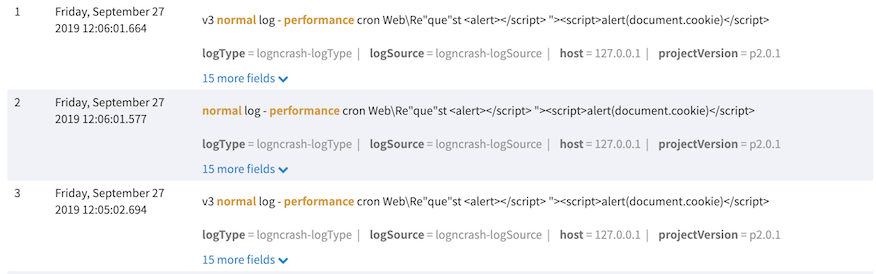
- e.g.) body:normal AND performance
- -> Search logs that contain the words, "normal" and "performance", in the body field.
- e.g.) body:"normal AND performance"
- ->Search logs containing the "normal AND performance" word in the body field
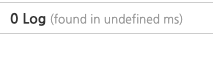
- The log result is 0, since there is no text for "normal AND performance".
To use special characters for a search, enter backslash or \ ahead of a character, to process escape.
- Special characters at point:
+ - && || ! ( ) { } [ ] ^ " ~ * ? : \ /
Special characters (including reserved words) for URL must be encoded.
- e.g.) Enter %3C for the special character, '<'.
Basic Search
filedname: Search Word
- Search by search word for a single field name you need.
If the field name is in the format of log.type, log.time, or log.version, batch search is available as below:
- e.g.) log.*:alpha
!_exists_:fieldname
- Search logs that are null in the field name or do not have the field name.
_exists_:fieldname
- Search logs with the non-null value in the field name.
Range Search
| Grammar | Operations |
|---|---|
| [min TO max] | Search including min, max conditions |
| {min TO max} | Search excluding min, max conditions |
| {min TO max], [min TO max} | Conditions included or excluded |
| {* TO max}, | Only min or max conditions apply |
- Conditions can be simpler as follows:
- e.g.) fieldname:>10
Boolean Operators
| Operator | Significance |
|---|---|
| AND, &&, + | AND Opeartor |
| OR\, || | OR Operator |
| NOT, !, - | NOT Operator |
The NOT operator - also serves as AND NOT.
- e.g.) logType:bulk -api
- -> logType: Same as bulk AND NOT API
Wildcard Search
*replaces many letters.
- e.g.) body:performance*
- Search logs that have a body starting with performance.
? replaces only one letter.
- e.g.) body:performance?
- Search logs that have a body field which starts with performance and responds to only one letter.
The two wildcards, such as * and ?, can also be applied in the middle of a letter.
Proximity Search
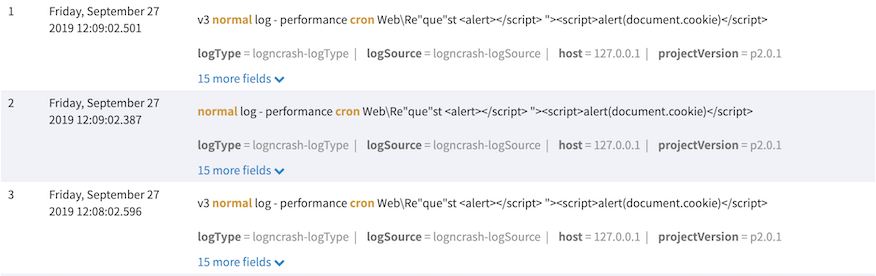
fiedname:"Search Word A Search Word B"~n
- Search logs that have up to n words between search word A and search word B.
- e.g.) body:"normal cron"~2
Boosting
fieldname: Search Word A^n Search Word B
- Give more weight to some search key words to get the results higher on priority.
- e.g.) body:normal^2 cron
- Weight can be given only with real numbers bigger than 0.
Default weight is 1.
RegEx Search
Searching with regular expression is available.
- e.g.) To find a document including dress or press, write /[dp]ress/
Fuzzy Search
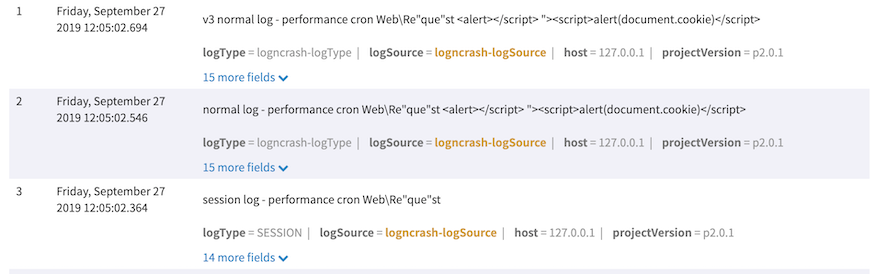
fieldname: Search Word~n
- Search up to n letters, which are approximately close to a search word (no more than 2).
- 2 is the default number of letters.
- e.g.) logSource:logncrash-logSurrce~2
Object/Array Search
If the type of each field is Object or Array, it is converted to a string and stored. To search by Object and Array fields in the following example log, use the wildcard search feature.
// Example log
{
  "arrayTypedField": ["elem1", "elem2"],
  "objectTypedField": {
    "key": "value"
  }
}objectTypedField:*\"key\"\:\"value\"*
* Array search: arrayTypedField:*\"elem1\"*